

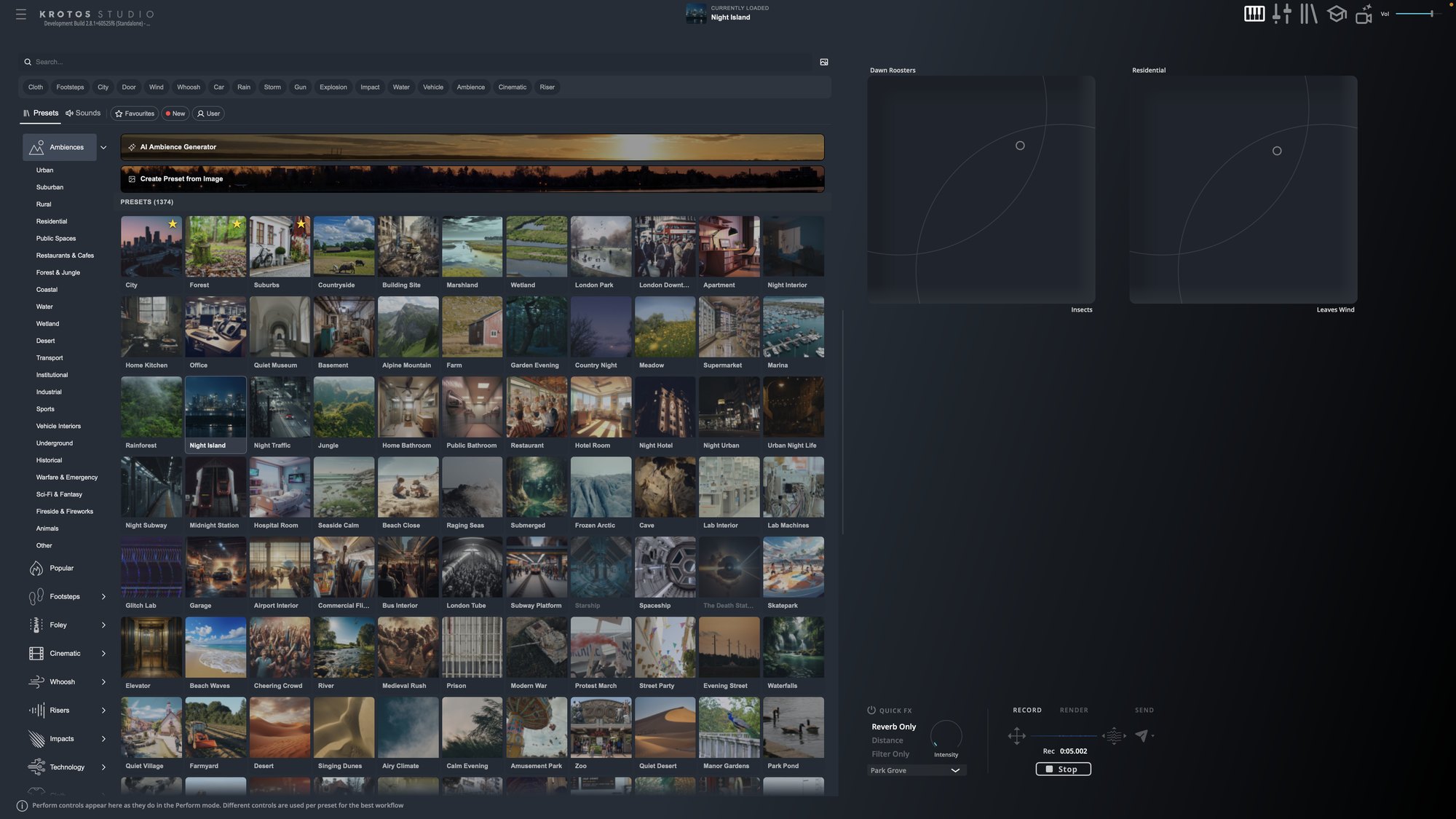
Krotos Studio 3.0 brings sound performance and a searchable sound library into one workflow. Find the sound you need, shape it to fit your picture and get it straight into your timeline.
Some sounds want performing, so they move with the action. Others just need finding: one can opening, one door latch. Until now Krotos Studio was built for the first job. In 3.0 it does both, from the same browser, with direct delivery to Pro Tools. Here's every change, in the order you'll use it.
The workflow
- Find the sound with one search across presets and recordings.
- Audition it, with a waveform and playhead.
- Adjust pitch and volume while it plays, or perform a preset to picture.
- Send it to your Pro Tools cursor with one click or the S key.
Find: the Sounds tab
A new Sounds tab sits beside Presets in the main browser. It holds the Krotos library as individual WAVs: 98,000+ on Krotos Studio Max, over 55,000 on Pro and 33,000+ on Krotos Studio. One search returns presets and sounds together.
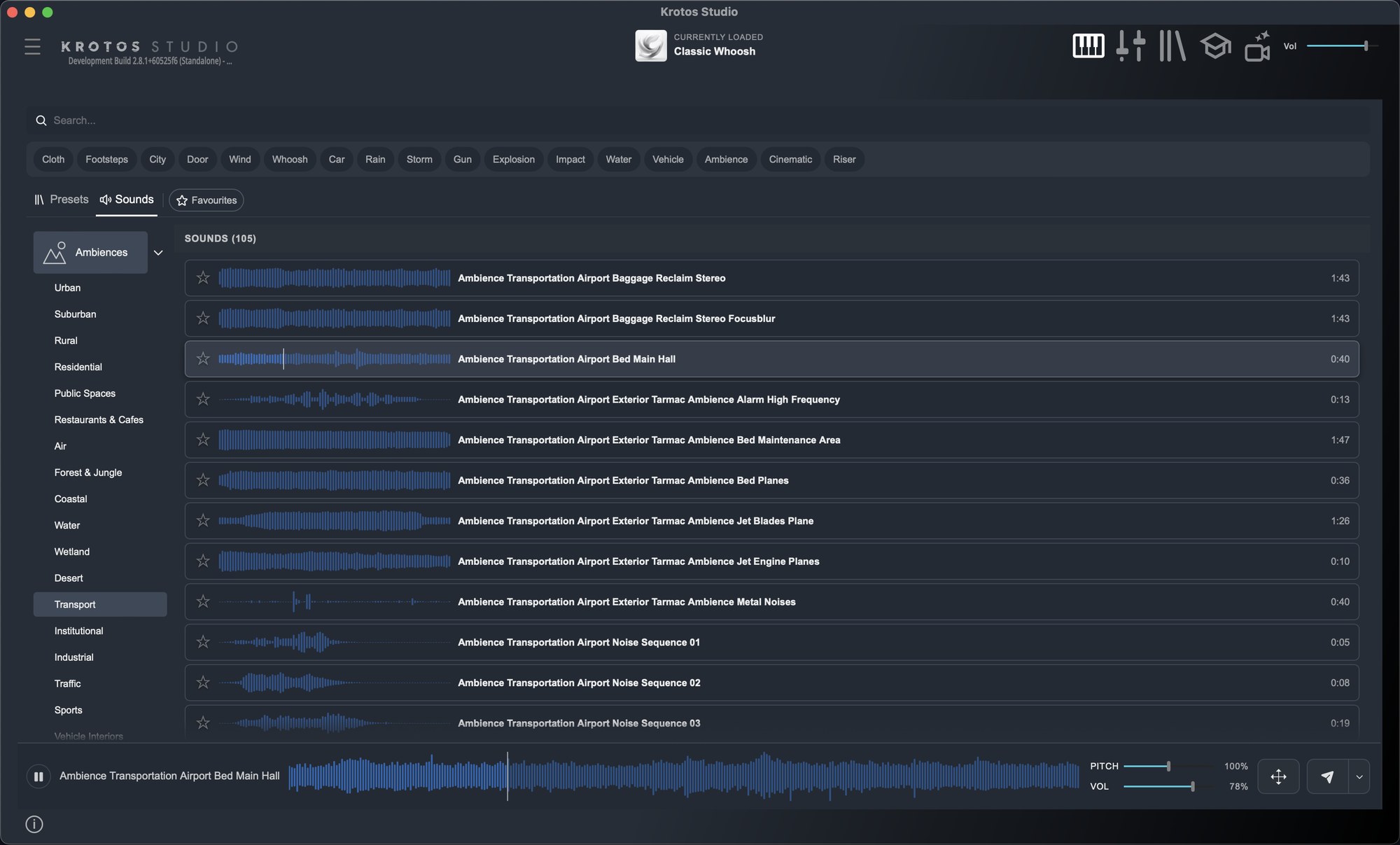
Each sound shows a waveform with a playhead. Adjust pitch and volume while you audition and those settings carry through to the file you drag or send. Open the enlarged waveform to skip through longer recordings, favourite anything you'll reach for again, and use the New filter to see what landed this month.
Drag any sound into a DAW, an NLE or a Finder window. More on the Sounds tab.
Deliver: Send to Pro Tools
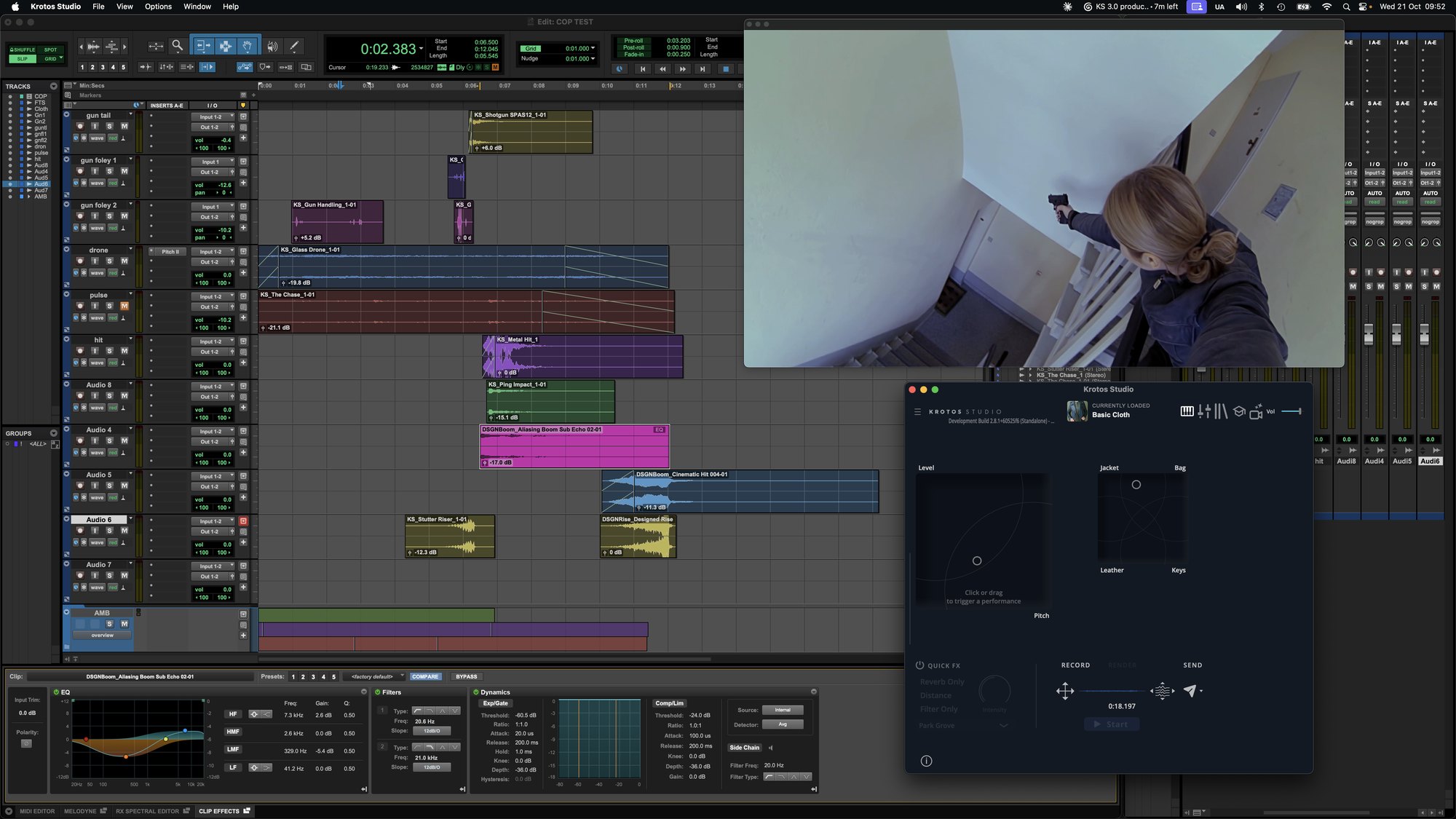
Put your Pro Tools cursor where the sound belongs, then click Send or press S in Krotos Studio. The sound or preset performance lands at the cursor. It works from Perform View and from the Sounds tab, including to mono tracks, and the host dropdown also lists DaVinci Resolve. Send works in the standalone app.
Get the next one in your inbox. We're writing up every part of Krotos Studio 3.0 as it lands, plus the new sounds and presets each month. Join the Krotos newsletter.
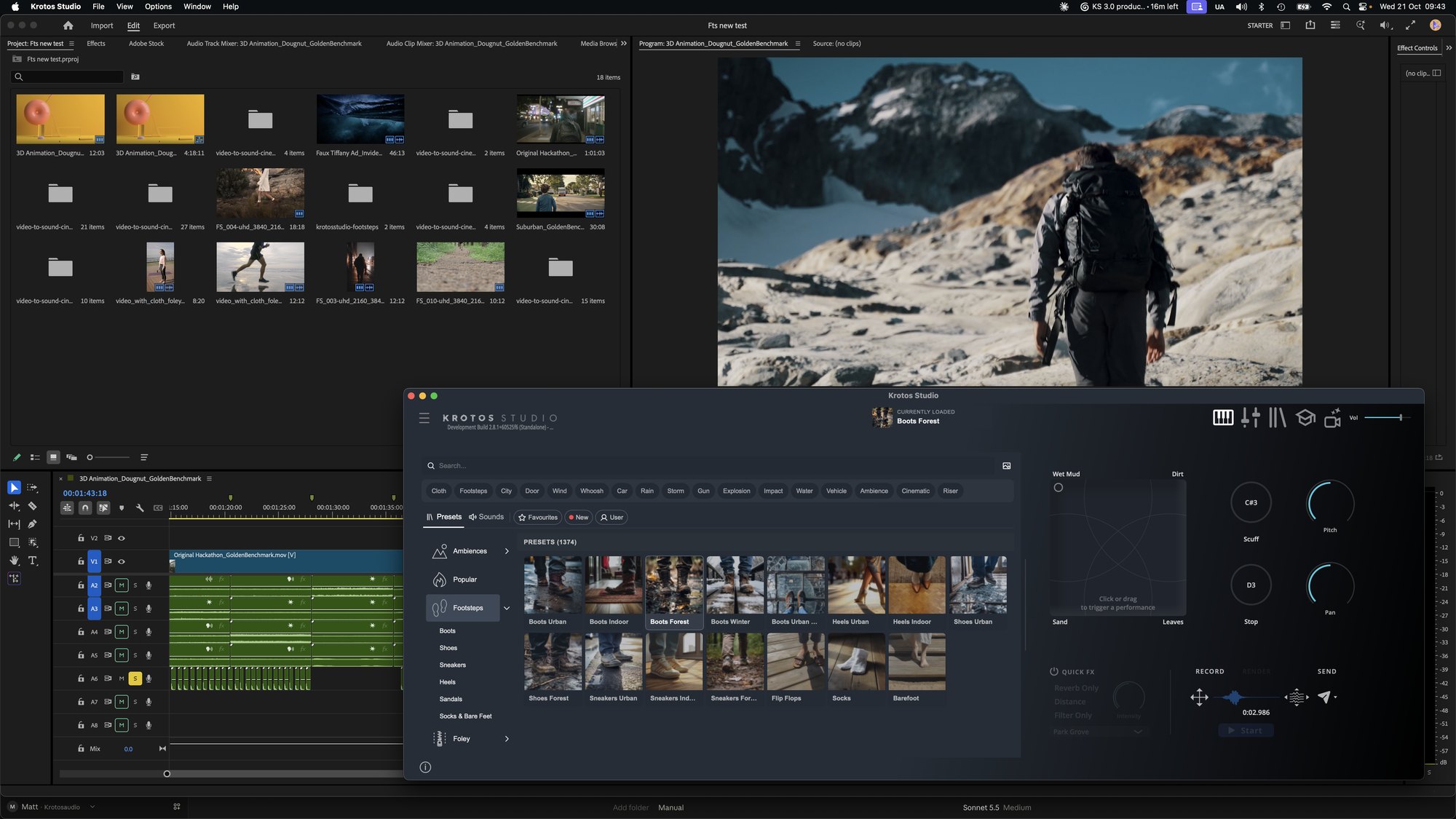
Perform beside your edit: a resizable UI
Grab any corner of the standalone app and size it to your screen. Run it full screen to scan hundreds of presets in grid view, or shrink it to the perform controls and park it beside your edit.
300+ subcategories
Presets and sounds now split into more than 300 subcategories. Ambiences alone break down into Urban, Suburban, Rural, Coastal, Underground and plenty more, so you land closer to the right sound before you type anything. Browsing by subcategory.
A darker look, with themes
3.0 ships with a darker default skin. Prefer the old look? Switch back to Classic, or try Graphite, in Settings > Appearance. Keyboard shortcuts arrive in this update too, starting with S for Send. Themes and shortcuts.

List, card and grid thumbnails
Switch the preset browser between list, card and grid layouts with the image icon next to the search bar. List packs the most presets into a narrow window. Grid shows the artwork large, which suits a full-screen session. Thumbnail modes.
AI Ambience Generator and Image to Preset, now in the browser
Both tools now live at the top of the Ambiences section. Type a description such as "suburb at night with light wind and passing cars", or drop a screenshot of your scene into Image to Preset, and Krotos Studio builds an ambience preset from real recordings made by our sound designers. No audio is generated.
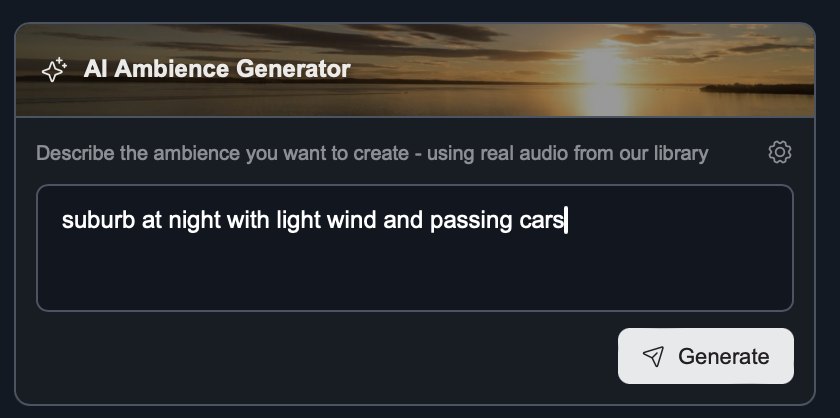
Building ambiences from a sentence or a screenshot.
What it means for your plan
The new UI, Send to Pro Tools and the monthly additions are on every plan. Library size is the difference. Krotos Studio includes 33,000+ sounds and Pro over 55,000. Max gets the whole library, 98,000+ sounds, which is nearly 40,000 more than before. Every plan can audition every sound, and anything outside yours is clearly marked.
Max users: your existing .zip downloads stay where they are, and new content now goes straight into the app. Every sound is royalty-free for commercial use.
One thing 3.0 doesn't do: the Sounds tab holds the Krotos library, and you can't add your own sound library to it yet.
Getting 3.0
Krotos Studio 3.0 is a free update for subscribers. Open Krotos Studio and update from Settings > Update.
Get the next one in your inbox. We're writing up every part of Krotos Studio 3.0 as it lands, plus the new sounds and presets each month. Join the Krotos newsletter.