

A scene needs one can opening. Before 3.0 you had two options. Perform a preset that wasn't built for a single hit, or leave Krotos Studio, open the downloaded library folders, find the file, import it and line it up by hand.
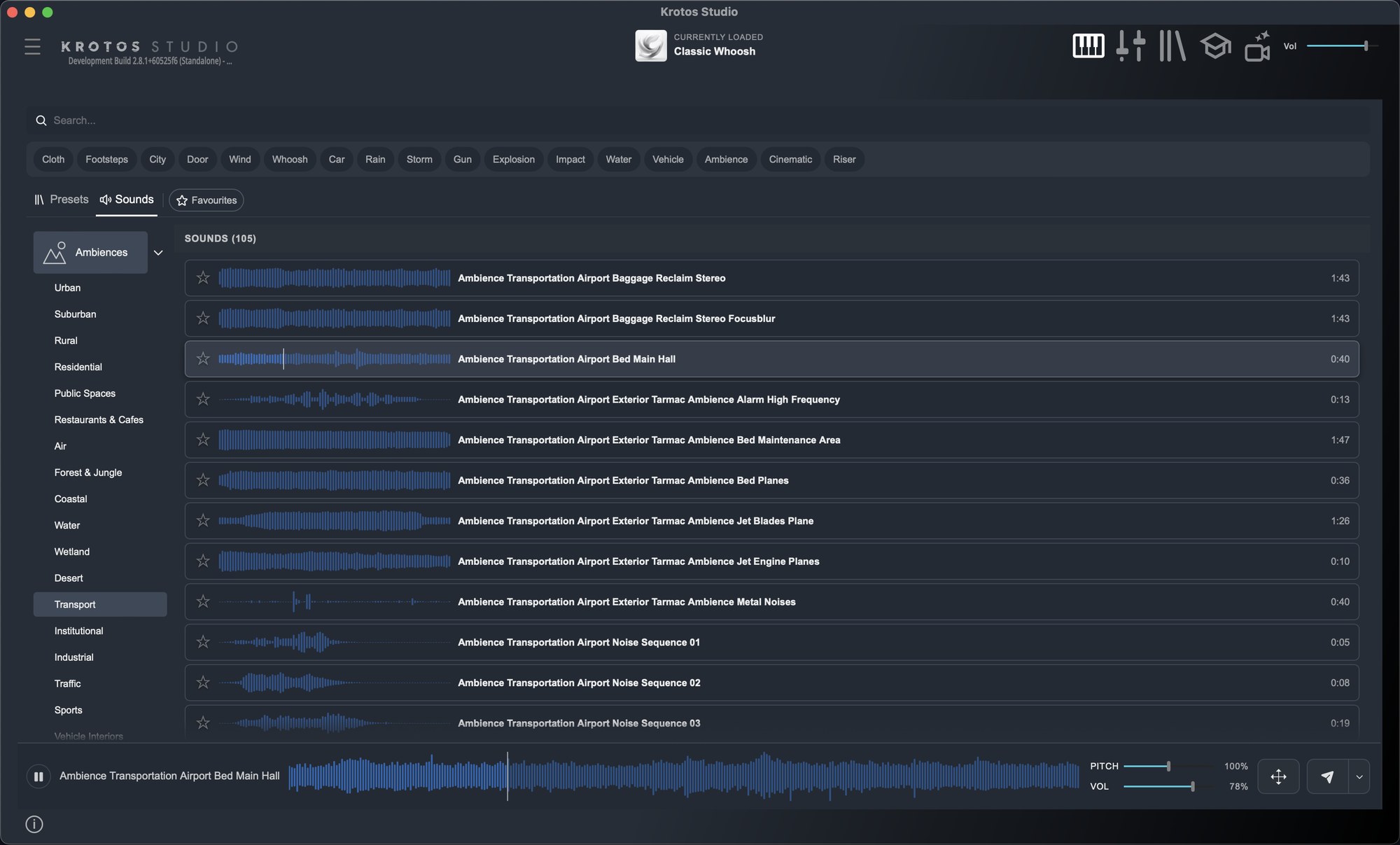
The Sounds tab removes the detour. Find the recording, audition it, set its pitch and volume and get it onto the timeline without leaving Studio. It sits next to your performable presets, so you can perform a sound or place one from the same browser.
What your plan includes
- Krotos Studio: 33,000+
- Krotos Studio Pro: over 55,000
- Krotos Studio Max: 98,000+, the entire Krotos library
Every plan can audition every sound. Anything outside your plan is marked, with a prompt showing how to add it.
How to use it
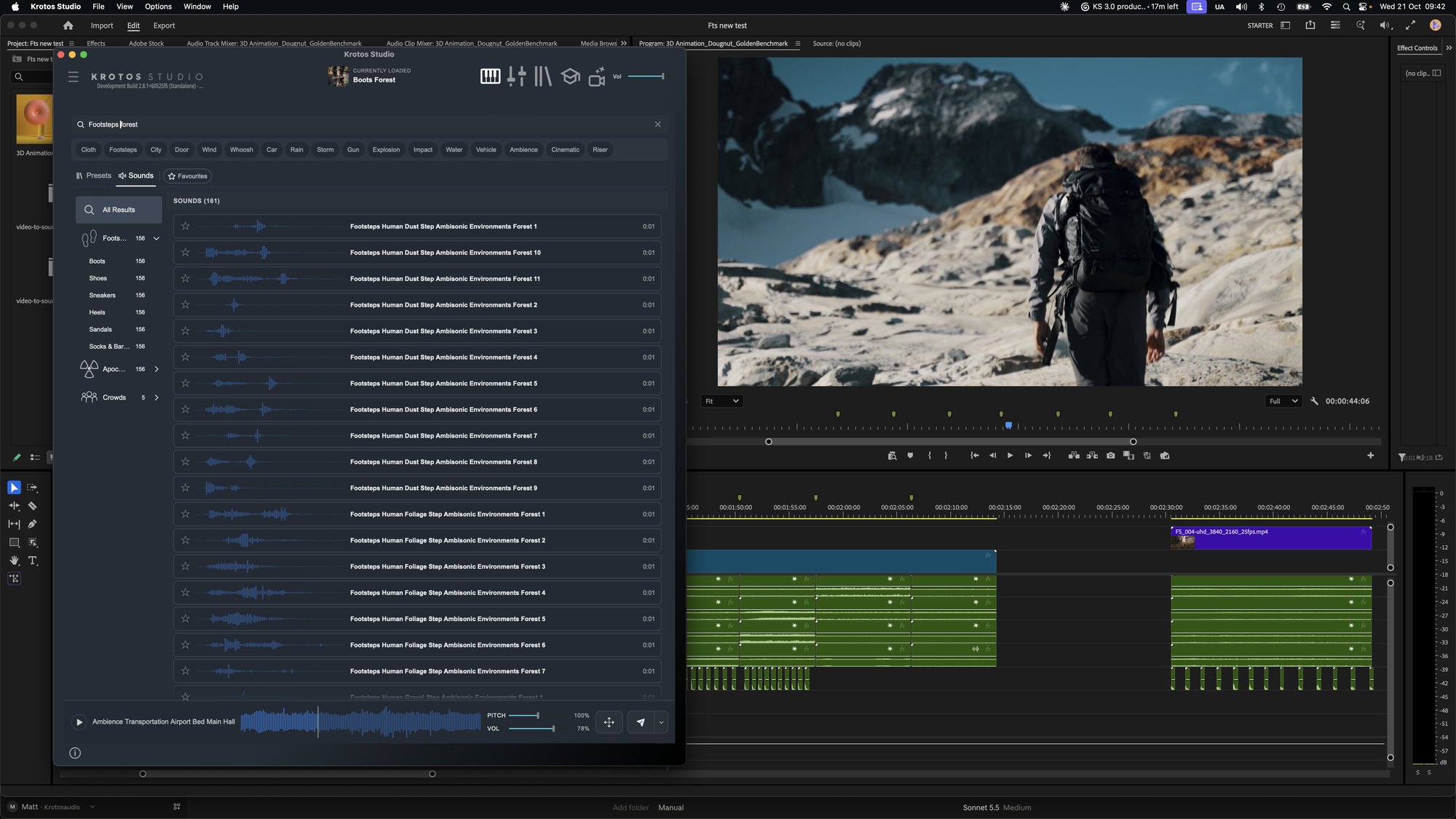
- Click Sounds at the top of the browser, or type in the search bar. Presets and sounds come back from the same search.
- Narrow it down with the categories and subcategories on the left. Footsteps, for example, splits into Boots, Shoes, Sneakers, Heels, Sandals, and Socks & Bare Feet.
- Click a sound to audition it. The waveform shows a playhead, and the enlarged preview at the bottom lets you skip through longer files.
- Set pitch and volume while it plays.
- Drag it to your DAW, NLE or desktop, or press Send to drop it into Pro Tools.
Get the next one in your inbox. We're breaking down every part of Krotos Studio 3.0, plus the sounds and presets added each month. Join the Krotos newsletter.
The details that matter in a session
Pitch and volume carry through. Whatever you set in the player is what lands in the file you drag or send, so a sound arrives sitting where you want it.
Favourites. Star a sound and it appears under Favourites. Build a shortlist of the latches and cloth moves you reach for every week and stop searching for them.
The New filter. New sounds and presets now arrive every month, and the New filter shows what landed most recently.
It works in your host. The Sounds tab is in the standalone app and in the VST, AU and AAX plugins. Send to Pro Tools is standalone only.
For Max users
This is the first time the whole Krotos library has lived inside Krotos Studio. The Sounds tab holds the Krotos library only, so adding your own sound library isn't part of 3.0. Your existing .zip downloads stay in your account. New content now goes straight into the app, so there's nothing more to download and unpack.
Every sound is royalty-free for commercial use. Next: send any of them to Pro Tools in one click.
Get the next one in your inbox. We're writing up every part of Krotos Studio 3.0 as it lands, plus the new sounds and presets each month. Join the Krotos newsletter.