Available Now

Krotos Studio integrations for DaVinci Resolve and Premiere Pro

Add royalty-free sound effects to your edit without leaving your NLE. Select a region, choose the elements you need, and Krotos Studio places professionally recorded audio in sync on your timeline.

Seamless Workflows

Available integrations

Krotos Studio integrates directly with your NLE. Every integration runs the same Video to Sound engine, built natively for each editor. For future updates and upcoming integrations, check out our Roadmap.
Script panel

DaVinci Resolve

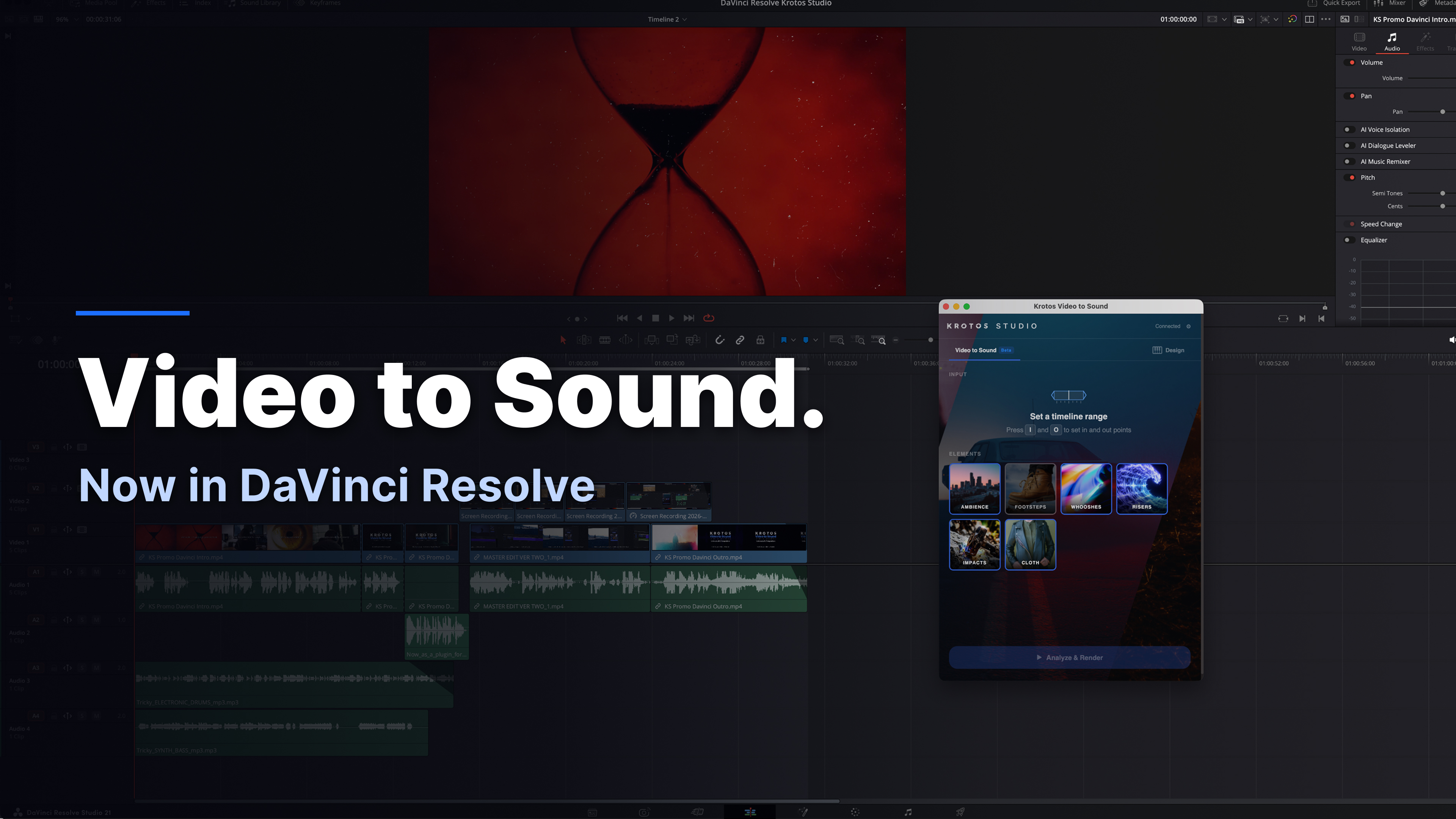
Video to Sound panel for DaVinci Resolve

The Krotos Studio panel opens from Workspace > Scripts and can be docked beside the Cut, Edit or Fairlight page. Analysing a region renders a full sound pass onto a new track and adds the clips to the Media Pool, where they can be trimmed, swapped and mixed like any other media.

Available on the Cut, Edit and Fairlight pages
Clips render to a new track and into the Media Pool
Every element can be swapped in one click, non-destructively
Resolve 19.0 or later, macOS 12+ or Windows 10+
View the DaVinci Resolve plugin
UXP panel

Adobe Premiere Pro

Video to Sound panel for Premiere Pro

Krotos Studio installs as a UXP plugin and runs as a dockable or floating window inside Premiere Pro. Select a range on the timeline, choose the sound elements required, and it places matching effects from a library of more than 100,000 recordings directly onto your audio tracks.

Installed via Window > UXP Plugins > Krotos Studio
Sound effects placed directly on Premiere Pro tracks, in sync
Open the standalone app at any time via Perform
Requires Premiere Pro 25.6.0 or later
View the Premiere Pro plugin
Benefits

Additional benefits with a Krotos Studio integration

What the plugins add on top of the standalone Krotos Studio application.

Work inside your NLE

The Krotos Studio panel docks alongside your timeline. No exporting, round-tripping or switching applications to add sound.

Sound effects synced to picture

Mark a region, select the elements you need and render. Sound effects are placed in sync on your timeline automatically.

Professionally recorded libraries

Every sound is a real recording from the Krotos libraries. AI selects and places the audio; nothing is generated or synthesised.

Royalty-free licensing

Cleared for client work, broadcast and monetised content. Your footage is not used for model training.

Non-destructive and editable

Every rendered element can be swapped, trimmed, moved or removed like any other clip in your project.

Included in all paid plans

Both integrations are included with Krotos Studio, Pro and Max at no additional cost.
How it works

Four steps to a sound pass

01

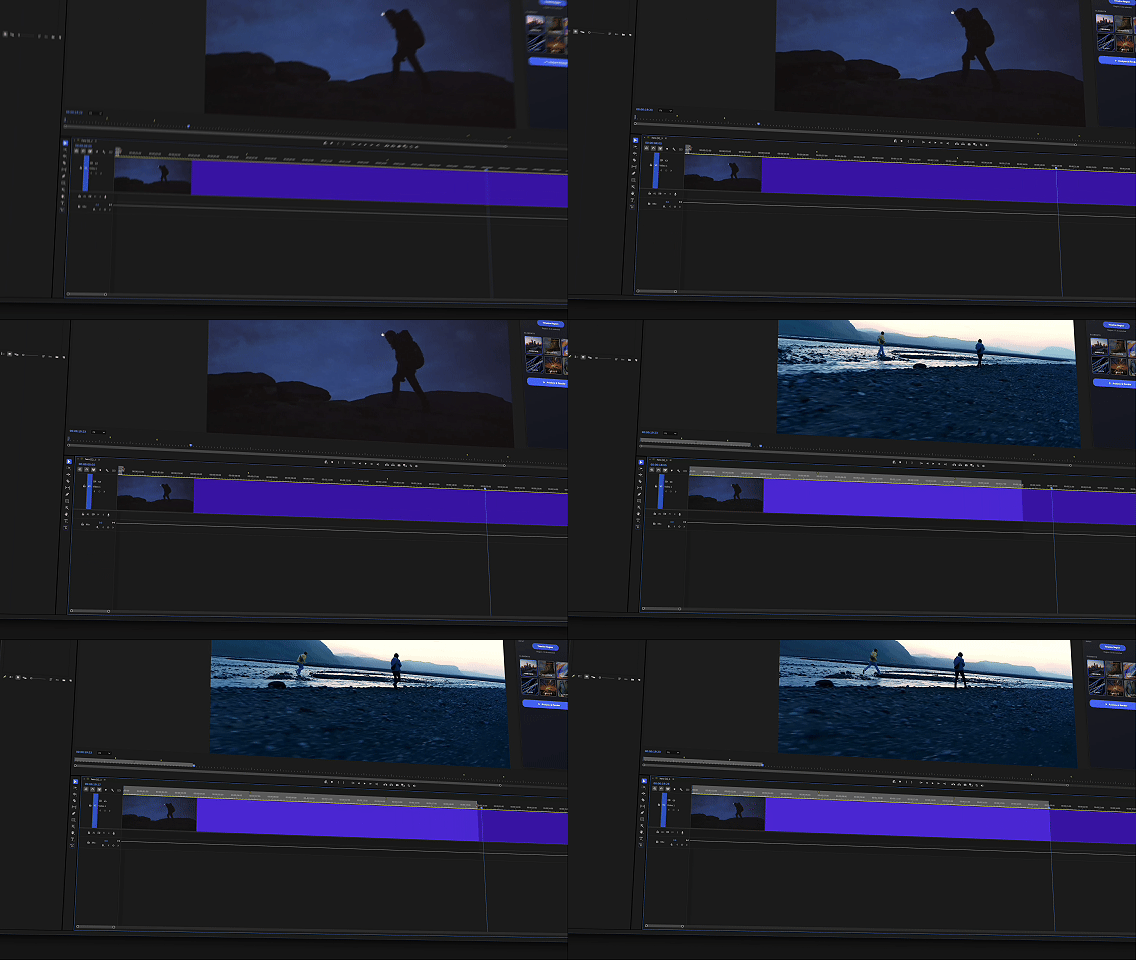
Set in and out points

Mark the section of the timeline that needs sound.
02

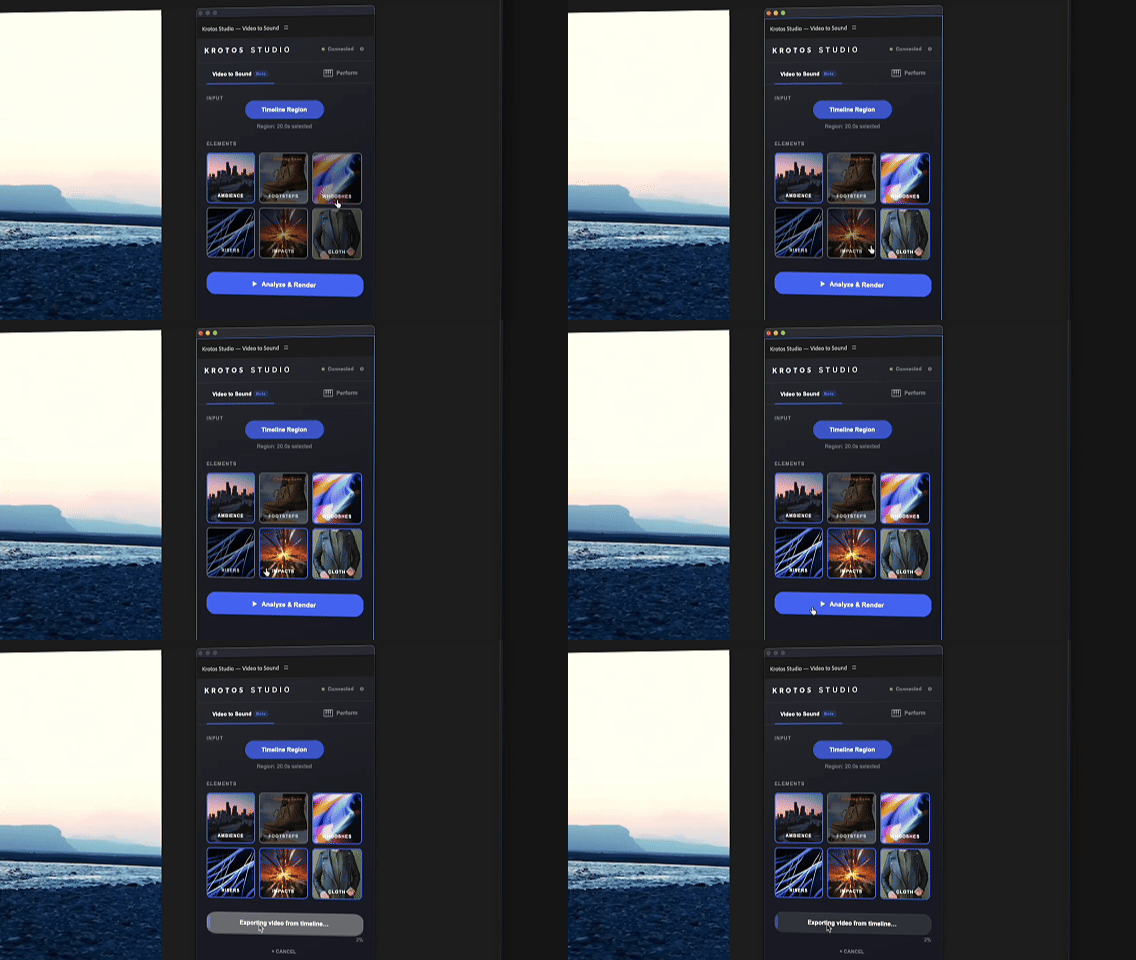
Select elements

Choose ambience, whooshes, impacts, risers, cloth and more.

03

Analyse and render

Royalty-free sound effects are placed in sync on your tracks.
04

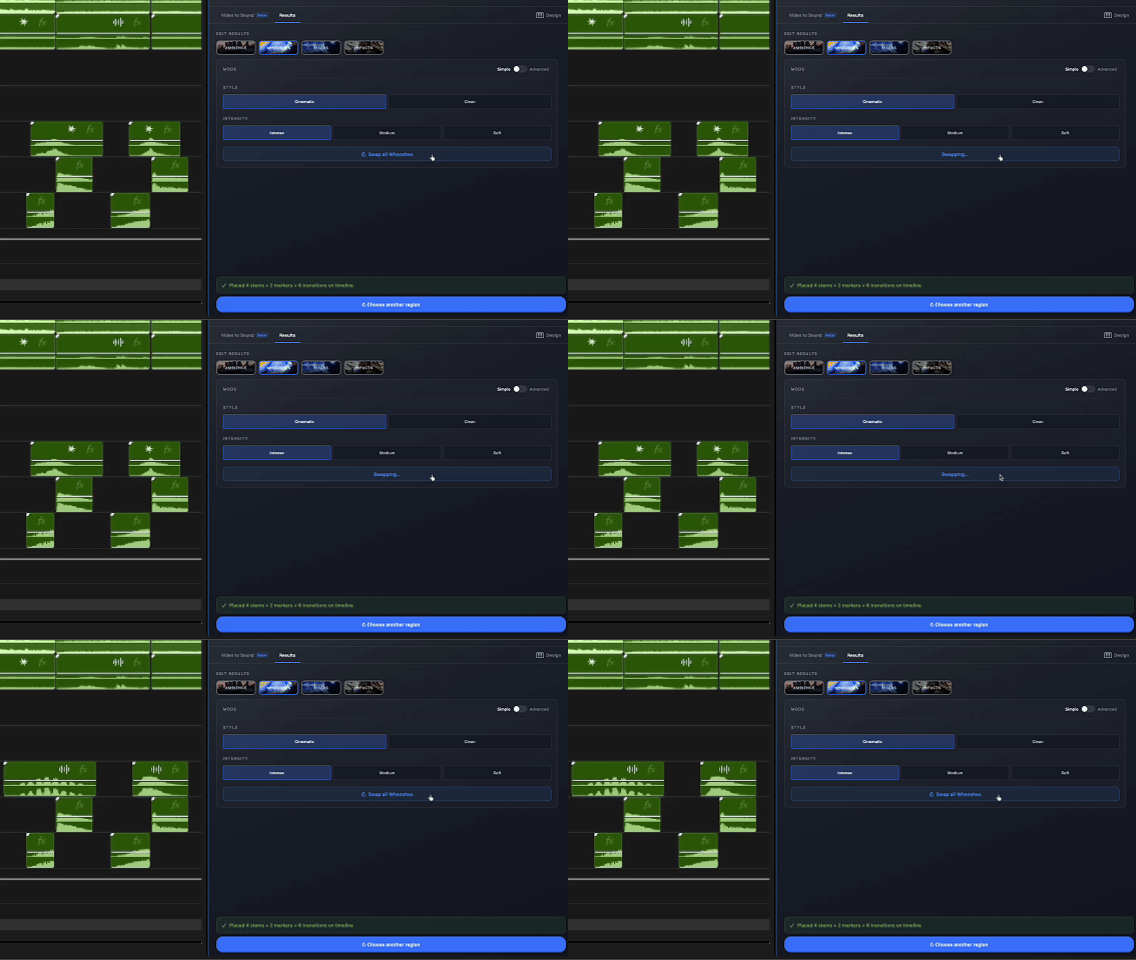
Edit the result

Swap or adjust any element. Nothing is baked in.

Get started with Krotos Studio

Both integrations are included in every paid tier: Studio, Pro and Max.
